Rigid layout and limited space
Adding new currencies, descriptions, headers or longer values often requires replacing the board or paying for hardware changes.
Move rates to a TV or monitor and manage the board online. Add currencies, change the layout and show your logo. Test DCR Online alongside your current board first.
30 days free · Try it on your own screen
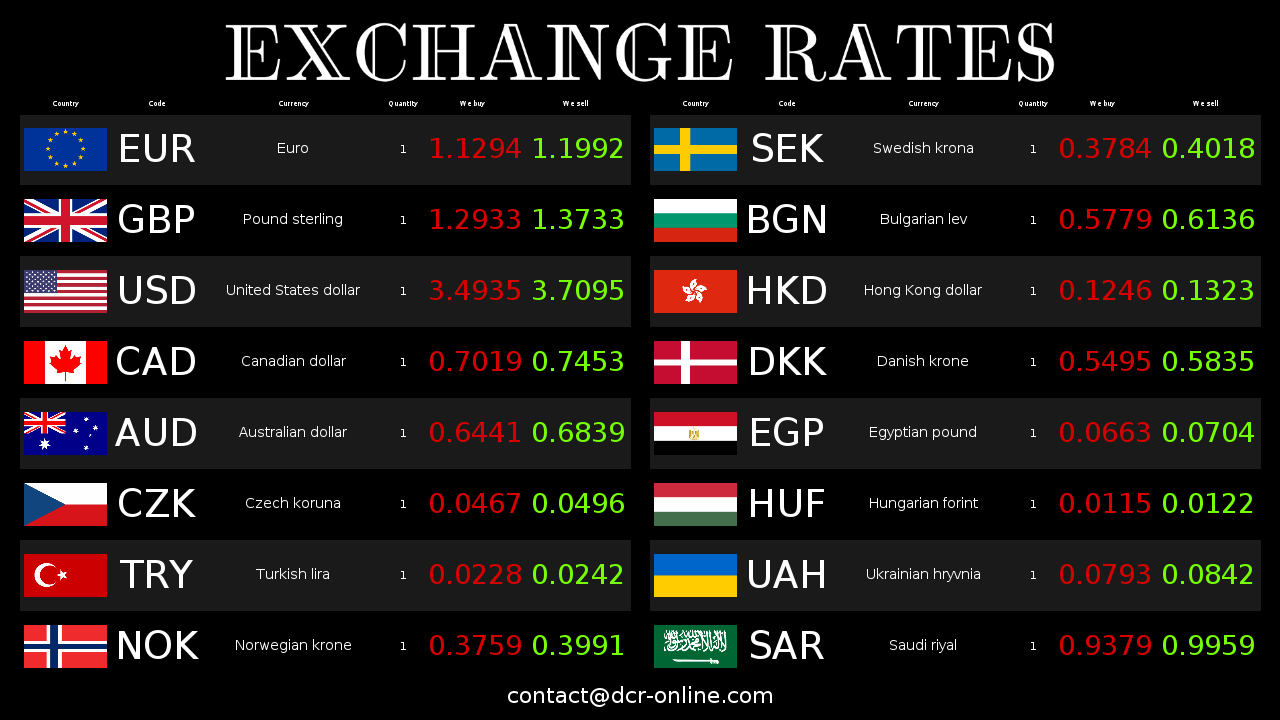
A TV screen gives you more flexibility when currencies no longer fit or you need new layouts and messages. Existing LED features depend on the model and controller.
Adding new currencies, descriptions, headers or longer values often requires replacing the board or paying for hardware changes.
Show your logo, a banner and customer information beside the rates. Change them in the online panel.
If your board needs manual input, try panel updates, importing your rates or adjustments based on mid-market rates.
Choose cell size, colours, flags and currency names. Check readability from where customers stand.
Changing size, orientation or number of rows on a classic LED board usually means new hardware or dependence on the board supplier.
Managing multiple locations, remote control and launching another screen are much simpler in an internet-based system.
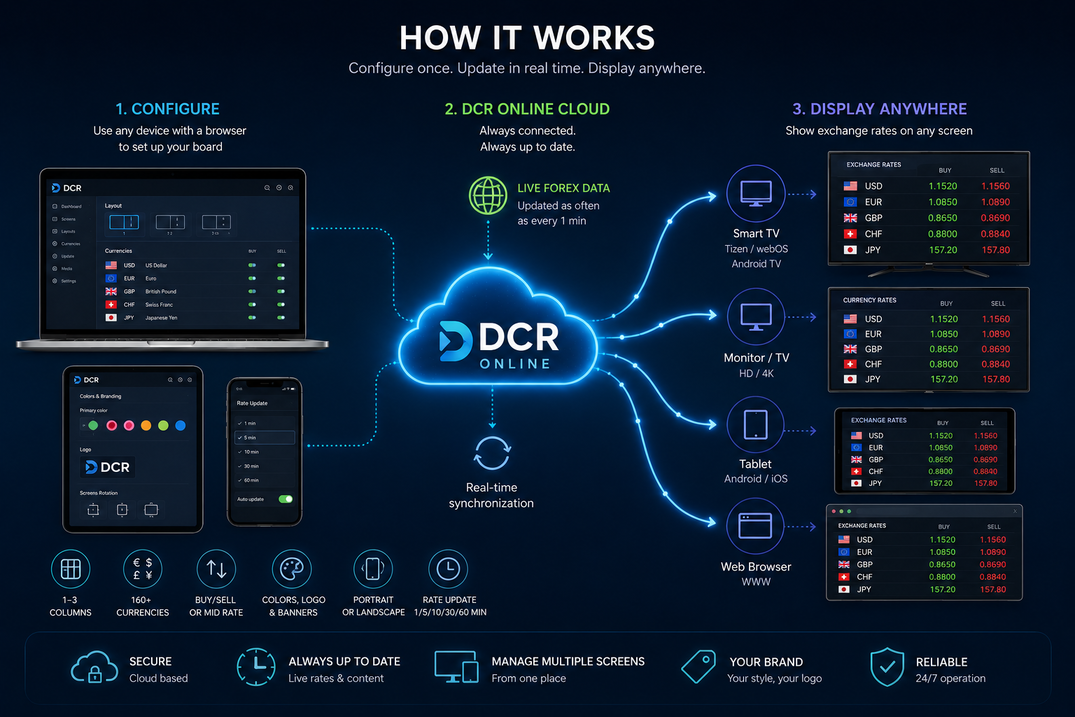
DCR Online runs in a TV app or browser. Check app availability and test your layout before replacing the board.
Start with one compatible screen. Test readability, rate sources and panel controls before replacing your current board.
Choose automatic mid-market rates or import your own rates. Make manual changes in the online panel.
Set colours, banners, logo and layout so the board looks like part of your location, not a separate device.
Set orientation and resolution for a compatible TV, monitor or tablet. One system supports different layouts.
Adding another screen or location does not require designing a new LED board. Pair the device with the account.
These are typical differences. LED capabilities depend on the model, controller and available integrations.
Scroll sideways to see the full comparison.
| Area | Traditional LED board | DCR Online digital board |
|---|---|---|
| Rate updates | Manual or automatic, depending on controller and integration. | Online panel, automatic average rates and integration with external files. |
| Appearance | Limited colour, format and number of characters. | HEX colours, banners, backgrounds, logo, footer, flags, currency names and multi-column layouts. |
| Hardware | Dedicated board with fixed parameters. | Smart TV, tablet, browser monitor or TV box. |
| Scaling | Expansion depends on board, controller and supplier system compatibility. | Add more screens and locations by pairing them with the account. |
| Customer communication | Mainly digits and short labels. | Rates, currency names, logo, banners and customer messages. |
You do not have to replace the whole setup at once. Run DCR Online in parallel, check the look on a screen and then replace the old LED board.
Create an account and configure currencies, columns, buy/sell mode and basic colours.
Use a TV app or browser mode to connect the screen with the DCR Online panel.
Add logo, banner, footer, update interval or connect the integrator if rates come from your system.
Run DCR Online on one screen and test layouts and rate sources free for 30 days.