TXT files
The integrator can read simple text files generated by an external system or prepared in an agreed layout.
DCR Online lets you display buy and sell rates from one controlled source on screens in your location. The integrator reads files on disk or a selected website with rates, and the board presents data according to the DCR configuration.
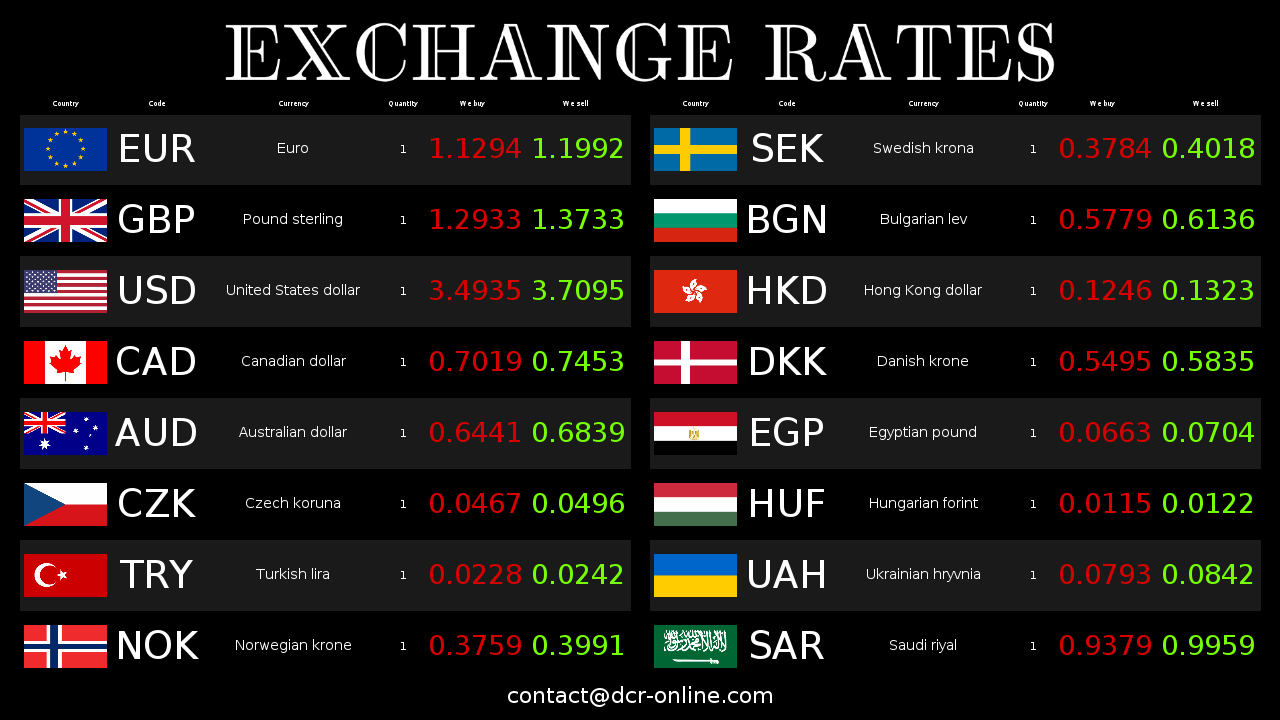
The key is to separate the place where buy and sell rates come from from the screens seen by customers. The operator selects the data source, and the board fetches values matched to the presentation configuration.
The integrator can read simple text files generated by an external system or prepared in an agreed layout.
CSV works well when the source exports an ordered table of currencies, buy rates, sell rates and additional columns.
XML lets you pass rates in a more descriptive structure, useful when integrating with systems that have a fixed export format.
When rates are available in a local HTML file, the integrator can read selected data and send it to the board.
The integrator lets you select a website address with rates as a data source, so the scenario is not limited to a file on disk.
Buy and sell rates can also be edited manually in the panel when you need a simple start or a quick correction of one item.
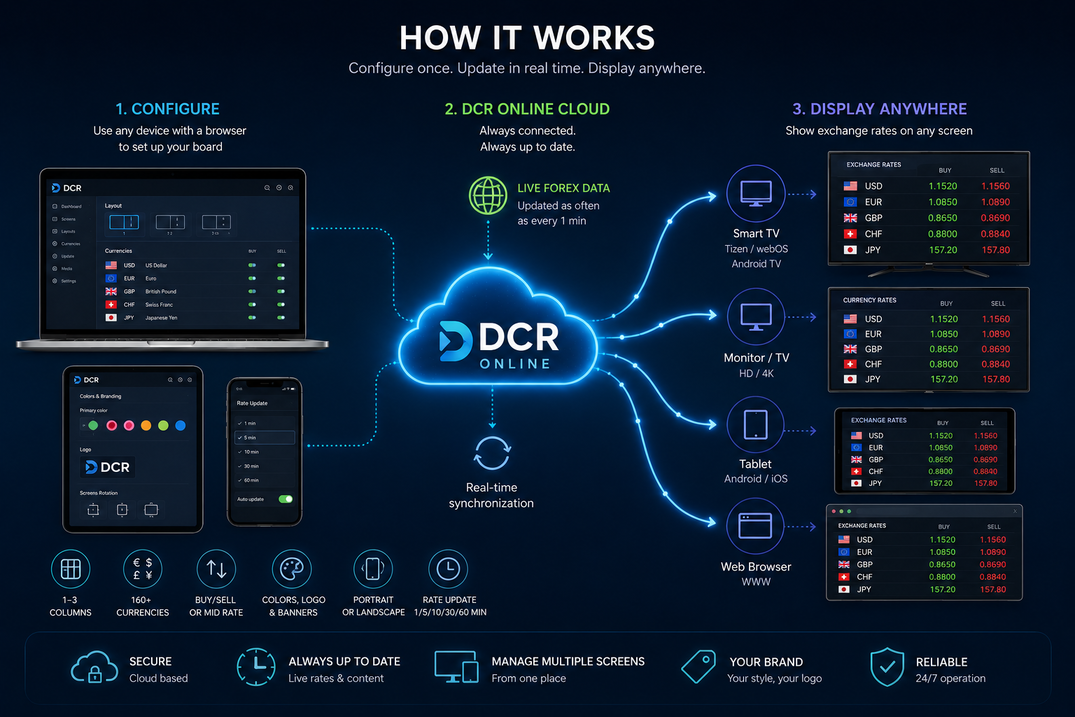
The source of buy and sell rates does not have to be the same place where the customer sees the board. The integrator and DCR Online panel create an intermediate layer: they read data, normalize values and send them to paired screens.
With frequent buy and sell rate changes, the screen itself is not the only issue. A reliable data source, repeatable import and control over what reaches the customer matter.
Rates can reach the board from a file or another selected source instead of being retyped separately on each screen.
The same flow supports sources broader than one exchange office program: local files and website addresses with rates.
A fixed source format and currency mapping reduce mistakes, typos and differences between source data and the board.
If the source gives 1 EUR = 4.2323 and the board should show quantity 100 with 2 decimal places, DCR converts it to 100 EUR = 423.23.
Manual editing is good for starting and corrections. When buy and sell rates change often or come from another system, it is better to base the board on a clearly selected source.
| Area | Manual entry | DCR Online data sources |
|---|---|---|
| Rate source | The operator retypes values from a program, website or document. | The operator selects a file, panel or website as the source of buy and sell rates. |
| Data format | Each change depends on the attention of the person entering rates. | TXT, CSV, XML and HTML files can be read according to a repeatable layout. |
| Custom currency names | They require manual interpretation and can easily become inconsistent. | Mapping helps connect names from the source with currencies displayed on the board. |
| Quantity and precision | The operator must recalculate values if the source and board use a different quantity or number of decimal places. | DCR automatically converts values to the quantity and decimal places set on the board. |
| Several screens | Each screen may require a separate check. | Paired screens use data sent through one controlled flow. |
First it is worth confirming the data format and board appearance. Then you can decide whether buy and sell rates will be entered manually or loaded from a file or website.
Create an account, choose currencies and check how rates will be presented on the screen.
Download DCR Integrator for Windows and pair it with your account. If you need to run the integrator on another system, contact us and we will prepare it for you.
To start, it can be manual editing, a TXT, CSV, XML, HTML file or a website address with rates.
Pair a TV, monitor or tablet and make sure rates, currency order and board appearance match your location workflow.
Create an account, prepare the first board and check whether buy and sell rates from the panel, file or website work well on your screen. If you need integration with a specific system that shares data through an API or export, contact us.