Central rate management
The person responsible updates the shared source. The integrator forwards changes to the DCR account and its screens.
Rates from your own source
Set rates in one place. The integrator reads changes from a file or web address and sends them to DCR Online and your connected screens, saving repeated typing.
30 days free · Try it on your own screen
Use a source that already fits your workflow. The integrator connects it to DCR Online boards.
The person responsible updates the shared source. The integrator forwards changes to the DCR account and its screens.
Read TXT, CSV, XML or HTML from a disk or accessible network location. The integrator computer needs access to the file.
Provide an HTTP or HTTPS address with buy and sell rates. The app checks it periodically and sends changed content.
If your cash register software exports rates to a supported file or web address, the integrator can use that export to update boards.
One update reaches screens paired with the account. Screen profiles define each device’s currencies and layout.
Choose manual editing in the control panel, then switch back to the integrator. Change the update mode without unpairing screens.
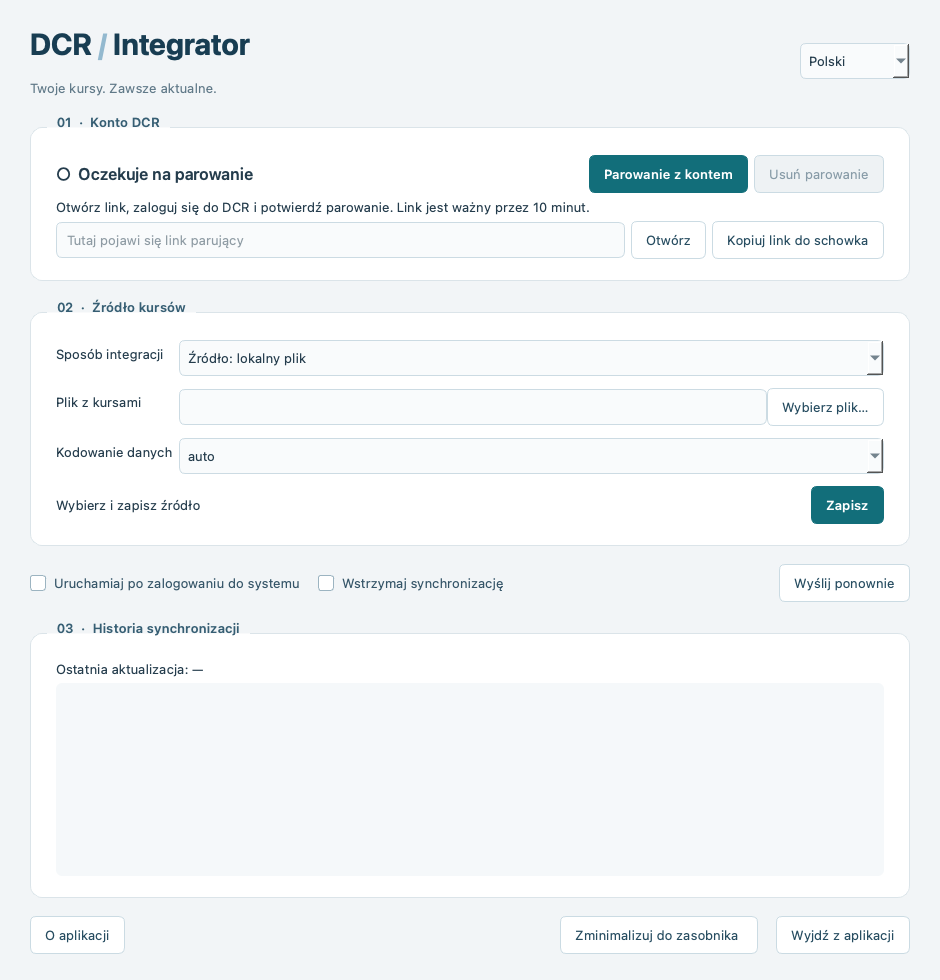
The new interface shows the source, connection and recent activity in one window.
Check account pairing and the rate source without searching through several windows.
The app can run in the system tray and start with the operating system. Importing needs a running computer and internet access.
History helps review recent activity. Pause reading or resend data; after an error the app retries in the next cycle.
DCR Integrator is a native app developed for Windows, macOS and Linux. Find available packages in your account panel.
Choose in the control panel where DCR gets its rate values. Return to the integrator after working manually.
Prepare a source containing currency codes and buy and sell rates.
Sign in to DCR, download an available package and pair the integrator with your account.
Select a file or web address. Check that DCR recognises the currencies and buy and sell columns.
Select integrator updates in the control panel and check the first change on your board.
Create an account and try DCR Online on your screen free for 30 days.