TXT files
The integrator can read simple text files generated by an external system or prepared in an agreed layout.
Already have rates in exchange software, a file or website? DCR Integrator reads buy and sell rates and sends them to your board. You can also enter rates manually in the panel.
30 days free · Try it on your own screen
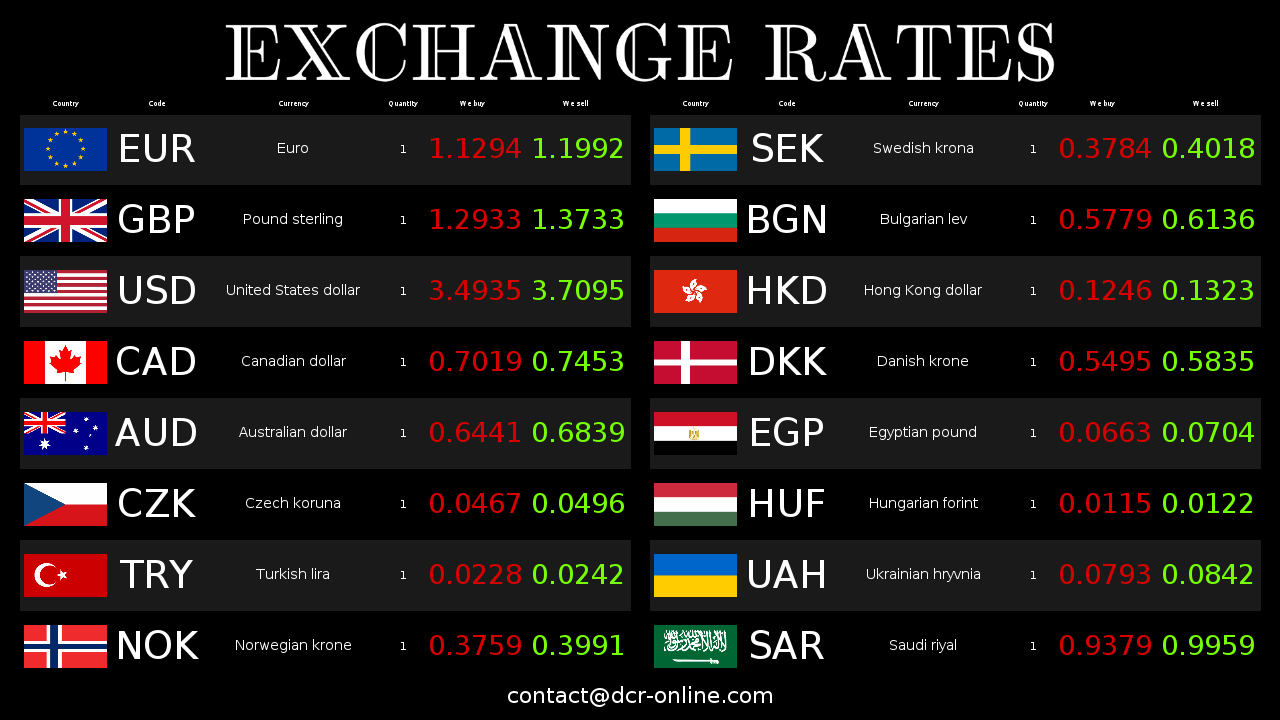
Import needs recognisable currency identifiers and buy and sell values. Choose an existing source and test its structure during your trial.
The integrator can read simple text files generated by an external system or prepared in an agreed layout.
CSV works well when the source exports an ordered table of currencies, buy rates, sell rates and additional columns.
XML lets you pass rates in a more descriptive structure, useful when integrating with systems that have a fixed export format.
When rates are available in a local HTML file, the integrator can read selected data and send it to the board.
Choose a website with rates in readable HTML. JavaScript-generated data or images may require another integration method.
Buy and sell rates can also be edited manually in the panel when you need a simple start or a quick correction of one item.
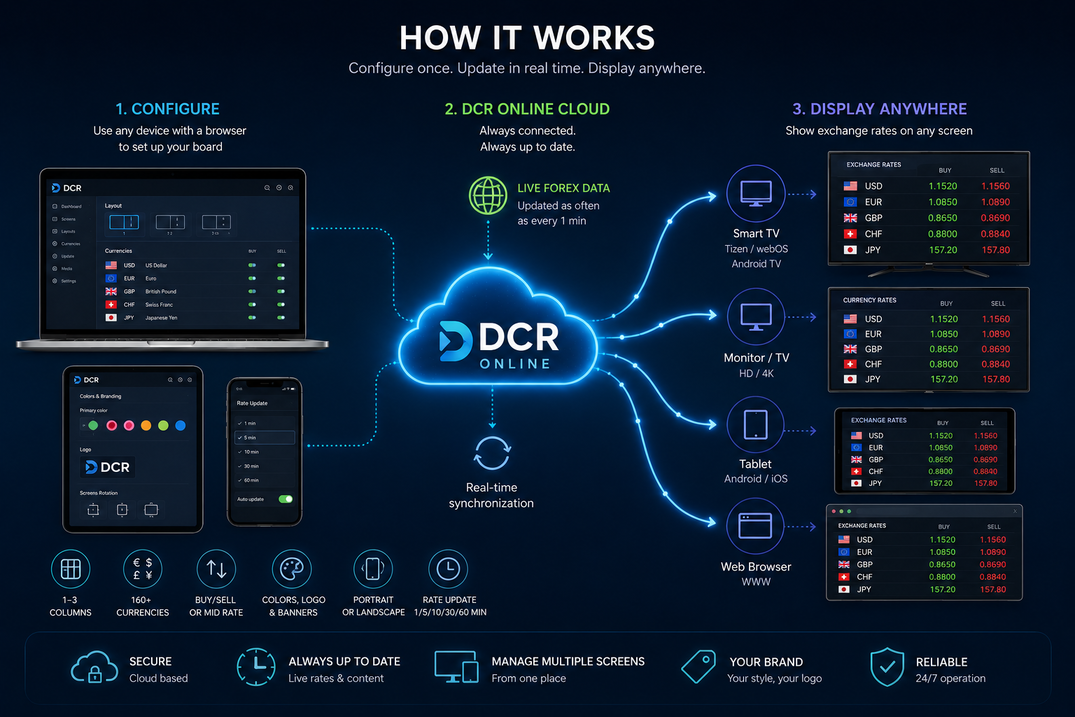
The integrator on your computer reads a source and sends rates to your DCR account. Screens load your board; its layout is independent of the data format.
Keep your existing buy and sell rate source. Configure imports and currency mapping, then check the displayed values.
Rates can reach the board from a file or another selected source instead of being retyped separately on each screen.
The same flow supports sources broader than one exchange office program: local files and website addresses with rates.
A fixed source format and currency mapping reduce mistakes, typos and differences between source data and the board.
If the source gives 1 EUR = 4.2323 and the board should show quantity 100 with 2 decimal places, DCR converts it to 100 EUR = 423.23.
Enter rates in the panel for occasional changes. If data already exists in a file or website, try importing it.
Scroll sideways to see the full comparison.
| Area | Manual entry | DCR Online data sources |
|---|---|---|
| Rate source | The operator retypes values from a program, website or document. | The operator selects a file, panel or website as the source of buy and sell rates. |
| Data format | Each change depends on the attention of the person entering rates. | TXT, CSV, XML and HTML files can be read according to a repeatable layout. |
| Custom currency names | They require manual interpretation and can easily become inconsistent. | Mapping helps connect names from the source with currencies displayed on the board. |
| Quantity and precision | The operator must recalculate values if the source and board use a different quantity or number of decimal places. | DCR automatically converts values to the quantity and decimal places set on the board. |
| Several screens | Each screen may require a separate check. | Paired screens use data sent through one controlled flow. |
First it is worth confirming the data format and board appearance. Then you can decide whether buy and sell rates will be entered manually or loaded from a file or website.
Create an account, choose currencies and check how rates will be presented on the screen.
Download DCR Integrator for Windows and pair it with your account. If you need to run the integrator on another system, contact us and we will prepare it for you.
To start, it can be manual editing, a TXT, CSV, XML, HTML file or a website address with rates.
Pair a TV, monitor or tablet and make sure rates, currency order and board appearance match your location workflow.
Create an account and try a file or website as your source. Need help? Describe your system using the contact form.