Smart TV in your branch
A TV can become a currency rate board when it supports the DCR Online app or browser mode.
Turn a TV, monitor or tablet into a clear exchange rate screen. DCR Online displays buy and sell rates, your logo, brand colours and messages without buying a dedicated LED board.
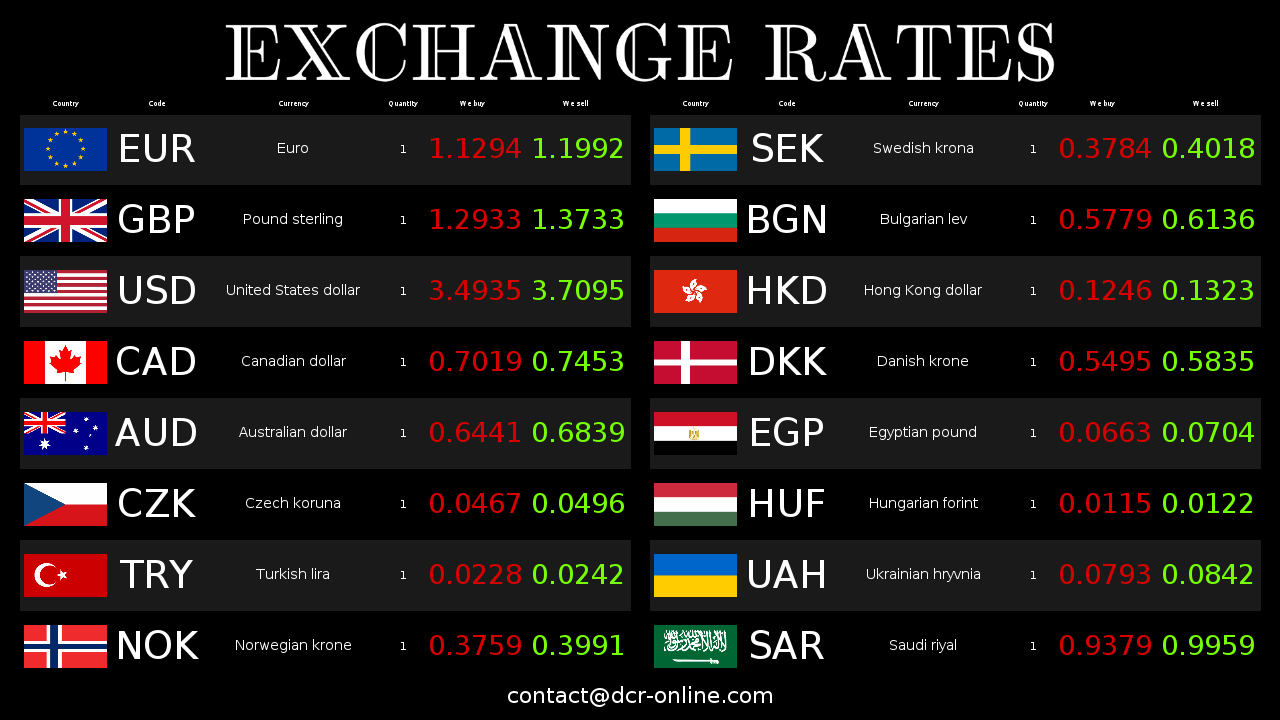
You do not need a special exchange office board. In many locations, a screen paired with DCR Online or opened in a browser is enough.
A TV can become a currency rate board when it supports the DCR Online app or browser mode.
The Android TV app lets you pair a screen with your account and display rates without a permanent computer connected to the TV.
DCR Online supports popular business and consumer TV platforms, including Samsung Tizen and LG webOS.
If you use a monitor near the counter or in the window, you can open the board in a full-screen browser.
The layout can fit landscape or portrait orientation, so the same system works on different screen sizes.
Run one screen in a small exchange office or many devices across several locations, all managed online.
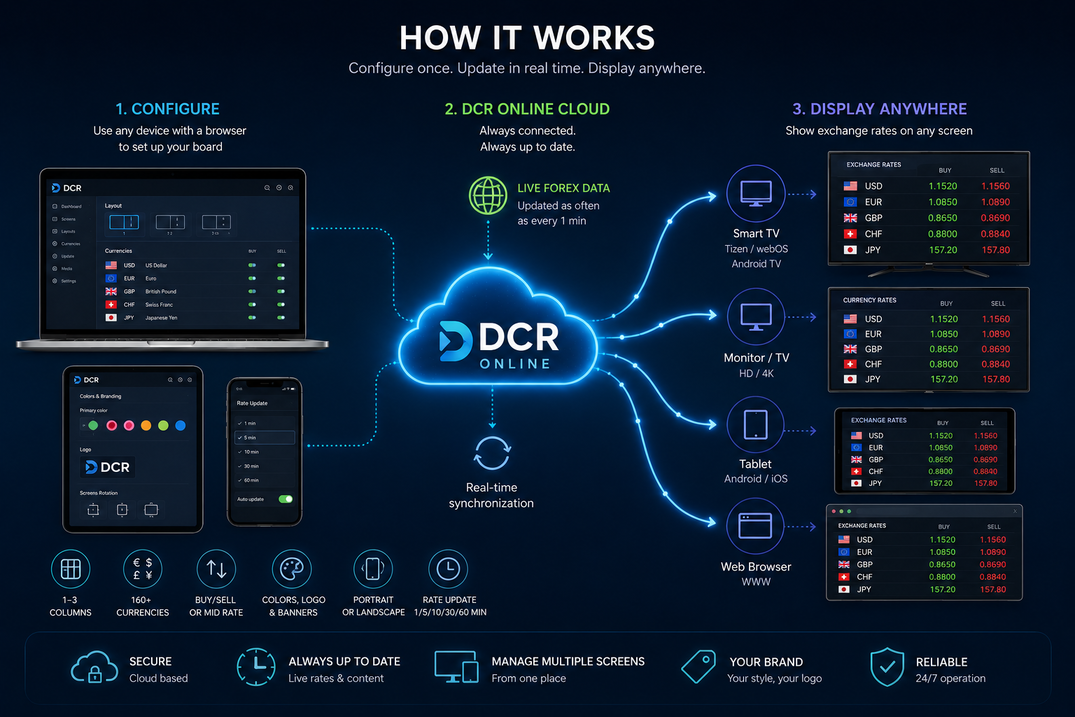
Configure currencies, design and rate sources in the panel. Once paired, the screen loads the board and refreshes data according to your account settings.
A screen gives an exchange office more flexibility than a fixed display. You can change the layout, add currencies and adapt the presentation to the point of service.
Start with a TV or monitor you already own, then add more devices without replacing the whole system.
Rates, currency order and screen settings are changed online, without updating every device manually.
Add a logo, colours, messages, banners and footer. You can also use ready-made colour palettes and then refine the details for your brand.
Average rates can refresh automatically, while your own rates can be entered manually or imported from files.
To show rates in a service point, you do not have to start with special hardware. Convenient content and update management matter most.
| Area | Dedicated display or manual presentation | TV or monitor with DCR Online |
|---|---|---|
| Launch | Often requires a specific device, controller or vendor configuration. | Create an account, configure the board and pair the screen or open /tv mode. |
| Design changes | Layout, colours and space for content are often limited by hardware or template. | Change colours, logo, banners, footer, columns, flags, orientation, resolution and cell margins. |
| Number of currencies | Expanding the list may require another layout or a larger device. | Choose currencies in the panel and adapt the layout to the screen size. |
| Updates | Changes are often manual or depend on a local program and controller. | Rates can refresh automatically or reach the system through a file integrator. |
| Expansion | Another location or screen usually means additional hardware configuration. | Add more screens to the account and manage them from the same panel. |
The simplest setup does not require an implementation project. First test the board, then adapt the design to your location.
Create a DCR Online account and choose the currencies you want to show customers.
Set buy/sell mode, columns, logo, colours, banner, footer and screen orientation.
Connect the device to your account with a TV app or open the board view in a browser.
Create an account, configure your first board and test it on your own screen for 30 days free.